When main.c calls a function defined in lib.c, the compiler can compile main.c without seeing the function’s body. How does that call eventually reach the right instructions?
There are two questions here: where the function’s code comes from, and when its address is resolved. We’ll follow the same out_hello() call through object files, a static archive, and a shared library. Then we’ll use that model to load a library ourselves, replace a function with LD_PRELOAD, and run a program against a private glibc build.
The examples use C on Linux, with GCC and GNU binutils. The relocation and disassembly details below are for x86-64 ELF; other architectures use the same broad process but different instructions and relocation types.
Start with a call across two files
Use a fresh directory for the examples. We need three files. The header, lib.h, declares the interface:
#ifndef LIB_H
#define LIB_H

void out_hello(void);

#endif
The implementation, lib.c, includes both our header and the header declaring puts:
#include "lib.h"
#include <stdio.h>

void out_hello(void) {
    puts("hello from lib");
}
The caller, main.c, knows the interface but not the implementation:
#include "lib.h"

int main(void) {
    out_hello();
    return 0;
}
Compile the two source files separately:
gcc -std=c11 -Wall -Wextra -O0 -g -c main.c -o main.o
gcc -std=c11 -Wall -Wextra -O0 -g -c lib.c -o lib.o
-c stops before the final link. Each source file, after preprocessing its includes, is a translation unit. The compiler processes these units independently. main.c needs the declaration so it can check the call and generate the calling sequence; it does not need to know where out_hello will live.
Now link them:
gcc main.o lib.o -o app-objects
./app-objects
The program should print hello from lib. Try omitting lib.o from the link command: compilation still succeeded, but linking should fail with an undefined reference to out_hello. A header supplies a declaration, not the function’s instructions.
There is another easy mistake: gcc lib.c attempts to build an executable, not just compile a library. The usual C startup code expects main, which this file does not define. The ELF entry point is normally _start, supplied by the toolchain’s startup objects; main is the function that startup eventually calls.
What is actually inside an object file?
A filename is only a convention. gcc main.c -o main.o would produce an executable called main.o if all references were satisfied. To identify the contents, inspect the file rather than trusting its suffix:
file main.o lib.o app-objects
readelf -h main.o
readelf -h app-objects
In the ELF header, an ordinary compiled .o has type REL (relocatable). An executable can have type EXEC, or DYN when built as a position-independent executable (PIE). Many Linux toolchains default to PIE. DYN therefore does not, by itself, mean “this is a library”. See elf(5) for the header and table definitions.
The file types we will use are:
| File | Contents | Who uses it next? |
|---|---|---|
main.c, lib.c | Source code | Compiler |
main.o, lib.o | Machine code, data, symbols, and relocation records | Linker |
libhello.a | An archive of object files | Linker |
libhello.so | A linked shared object with runtime linking metadata | Dynamic loader |
app-objects | An executable with its own startup and dependency information | Kernel and, for dynamic executables, the dynamic loader |
The symbol names and the unfinished call
Look at the symbols before linking:
nm main.o
nm lib.o
objdump -dr main.o
readelf -rW main.o
For these unoptimized sources, look for U out_hello in main.o: U means the symbol is undefined in this object, not that the function cannot exist. In lib.o, look for T out_hello: it is defined in the code section. lib.o also has an undefined reference to puts, which we will get from libc.
objdump -dr shows both instructions and relocations. Near the call in main, the relocation names out_hello. A relocation tells the linker which location needs fixing, which symbol it refers to, and how to calculate the value to put there. It is not simply a list of missing function addresses.
For a common GCC x86-64 build, the call relocation is R_X86_64_PLT32. Its name allows a PLT target, but does not require the final call to use one. When the definition is linked into the executable, the linker can resolve this call directly. The relative displacement depends on both the target and the call site, which is why the compiler cannot finish it from main.c alone.
Compare the linked executable:
objdump -d --disassemble=main app-objects
nm app-objects
Now out_hello has a definition in the executable. Its call to puts is a separate matter: our helper was linked from lib.o, while libc is still normally a shared dependency.
Put the implementation in a static library
A static library packages object files for the linker. It does not require a different calling convention or a special kind of C function:
ar rcs libhello.a lib.o
ar t libhello.a
gcc main.o ./libhello.a -o app-archive
./app-archive
ar t lists the archive’s members. Here there is just lib.o. When the linker encounters the archive, it extracts members needed to satisfy unresolved references. main.o needs out_hello, so this member is included in the executable. Extraction is at object-file granularity, not necessarily one function at a time.
Order matters with the usual GNU linker archive search: put the objects needing a library before the archive that supplies them. gcc ./libhello.a main.o -o app-archive can fail because out_hello was not yet needed when the archive was searched. The GNU ld manual describes archive search and grouping for cyclic dependencies.
The usual shorthand is -L. -lhello. -L. adds the current directory to the link-time search path; -lhello searches for a library named libhello. If both .so and .a are available, a normal dynamic link generally prefers .so. Using ./libhello.a here makes our choice unambiguous.
Once linked, app-archive no longer needs libhello.a to run. Changing the archive does not change an existing executable; we must relink it.
This is static linking of our helper, not a fully static executable. GCC still normally links libc dynamically. A fully static link uses -static and requires static versions of all needed libraries. -fPIC is not required for this ordinary static archive.
Keep the implementation in a shared library
Build another object with position-independent code, then link a shared object:
gcc -std=c11 -Wall -Wextra -O0 -g -fPIC -c lib.c -o lib.pic.o
gcc -shared -Wl,-soname,libhello.so lib.pic.o -o libhello.so
gcc main.o -L. -lhello -Wl,--enable-new-dtags,-rpath,'$ORIGIN' -o app-shared
./app-shared
-fPIC generates code suitable for a shared object loaded at different virtual addresses. It does not eliminate every relocation. -shared produces the shared object rather than an executable. The SONAME gives it the dependency name libhello.so; deployed libraries commonly use a versioned name such as libhello.so.1 to identify an ABI generation.
Unlike the archive case, the linker does not copy out_hello’s implementation into app-shared. It records a dependency and the runtime work needed to resolve the call:
readelf -dW app-shared
readelf --dyn-syms -W app-shared
readelf --dyn-syms -W libhello.so
In the executable’s dynamic section, look for NEEDED naming libhello.so and RUNPATH containing $ORIGIN. In the dynamic symbol tables, out_hello is undefined in the executable and defined in the shared library. The loader uses the dynamic symbol table, not the debug information added by -g.
Who starts the loader?
When we run ./app-shared, the shell asks the kernel to execute it through an exec-family call. For a dynamically linked ELF executable, the kernel maps the executable’s loadable segments and the interpreter named in its PT_INTERP program header, then starts that interpreter. Here the interpreter is glibc’s dynamic loader, not a shell or the build-time ld program. See execve(2).
readelf -lW app-shared
Look for INTERP and its “Requesting program interpreter” pathname. The LOAD headers describe the segments to map and their permissions. Sections such as .text organize the file for linking and inspection; program headers describe the runtime layout, often combining several sections into a segment.
The loader finds the NEEDED libraries and their dependencies, maps them, and performs the required runtime relocations and shared-library initialization. It then transfers control to the executable’s entry point, normally _start. C runtime startup eventually calls main. Some function resolution may still be deferred under lazy binding, which we will examine below.
Why -L. is not enough at runtime
The build-time linker found libhello.so through -L.. The runtime loader does not inherit that command-line option, and it does not normally search the current directory just because the program is there.
We embedded a RUNPATH using $ORIGIN, which the loader expands to the directory containing the executable. The single quotes prevent the shell from expanding it first. This allows our example executable to find the library beside it, even when launched from another directory.
Without an embedded path, a temporary alternative is:
LD_LIBRARY_PATH="$PWD" ./app-shared
For a dependency without a slash, glibc’s loader considers DT_RPATH when there is no DT_RUNPATH, then LD_LIBRARY_PATH, then DT_RUNPATH, then its cache and default directories. RUNPATH applies to direct dependencies; a library’s own dependencies may need their own paths. Secure execution changes some of these rules. The complete lookup rules are in ld.so(8).
This distinguishes two failures that often get lumped together:
| Symptom | Stage | First thing to check |
|---|---|---|
undefined reference to out_hello | Link | Was the defining object or library supplied, in the right order? |
error while loading shared libraries | Process startup | Can the loader find the recorded dependency? |
undefined symbol: out_hello | Runtime symbol resolution | Does the loaded library export the required symbol? |
Replacing libhello.so can change the next run without relinking the executable, provided the replacement preserves the expected ABI: symbol names, calling convention, parameter and return types, and any shared data layouts. The loader does not check C prototypes. Finding a symbol with the right name is not enough if its interface has changed.
How the call reaches a shared-library address
The executable can be built before we know where the loader will map libhello.so. Address space layout randomization (ASLR) can change that address between runs. On x86-64, a common solution uses two structures:
- The Procedure Linkage Table (PLT) contains short instruction sequences in the calling object.
- The Global Offset Table (GOT) contains slots used to hold addresses, including targets used by PLT entries.
Inspect our shared-library call:
objdump -d --disassemble=main app-shared
objdump -d -j .plt app-shared
readelf -rW app-shared
On a conventional PLT build, look for a call to out_hello@plt, and a dynamic relocation such as R_X86_64_JUMP_SLOT naming out_hello. The call reaches the PLT entry, which jumps indirectly through a GOT slot. The loader supplies the target address. This is different from the link-time relocation we inspected in main.o: now the relocation is work retained for runtime.
With lazy binding, that slot initially routes the first call into the loader’s resolver. The resolver looks up out_hello, updates the slot, and transfers control to the function. Later calls use the resolved address. With eager binding, resolution happens before the program starts instead:
LD_BIND_NOW=1 ./app-shared
LD_DEBUG=libs,bindings ./app-shared
The first command requests eager binding. The second asks glibc’s loader to report search paths and bindings on standard error. In the binding messages, find out_hello and check which object supplied its definition. Exact addresses, instruction layouts, and trace formatting vary by toolchain and machine; these commands are inspection steps, not a fixed output transcript.
Lazy binding is not guaranteed to be the default. Linker hardening options can request eager binding, and -fno-plt commonly produces GOT-indirect calls whose targets are resolved at load time. Full RELRO, requested with -Wl,-z,relro,-z,now, combines relocation-region protection with eager binding so the relevant GOT slots can be made read-only after relocation. Neither a PLT call nor lazy resolution is necessary for every dynamic call.
For an illustrated x86 walkthrough, see GOT and PLT for pwning.
Mapping bytes is not loading a library
An earlier version of this post mapped lib.o with mmap and found it in GDB’s process mappings. That establishes that the file’s bytes are mapped. It does not establish that out_hello is ready to call.
A relocatable object contains an ELF header, sections, and unfinished references. Its mapping address is not the address of the first function. A loader for such an object would need to lay out code and data, resolve symbols such as puts, apply relocations, and set appropriate permissions. mmap does none of that. Even a .so requires loader work beyond mapping its bytes.
mprotect changes page permissions; it does not perform relocation. Executing instructions requires execute permission, not a vague “protected” state. Writable-and-executable pages are commonly avoided through a write-then-execute policy (W^X), but read-only memory is not automatically executable. Also, a pointer is printed with %p and a (void *) argument, not %x.
For ordinary runtime library loading, use dlopen, which we will do next.
Choose a library after the program has started
So far, app-shared has named its library at build time. A plugin host often needs to choose the library later, perhaps from a configuration file. The dlopen API lets us do that without writing an ELF loader.
Create main-dlopen.c in the same example directory:
#include <dlfcn.h>
#include <stdio.h>
#include <stdlib.h>

typedef void (*hello_fn)(void);

int main(void) {
    void *handle = dlopen("./libhello.so", RTLD_NOW | RTLD_LOCAL);
    if (handle == NULL) {
        fprintf(stderr, "dlopen: %s\n", dlerror());
        return EXIT_FAILURE;
    }

    dlerror();
    hello_fn hello = (hello_fn)dlsym(handle, "out_hello");
    const char *error = dlerror();
    if (error != NULL) {
        fprintf(stderr, "dlsym: %s\n", error);
        dlclose(handle);
        return EXIT_FAILURE;
    }

    hello();

    if (dlclose(handle) != 0) {
        fprintf(stderr, "dlclose: %s\n", dlerror());
        return EXIT_FAILURE;
    }
    return EXIT_SUCCESS;
}
Build and run it from the directory containing the library:
gcc -std=c11 -Wall -Wextra -O0 -g main-dlopen.c -o app-dlopen -ldl
./app-dlopen
readelf -dW app-dlopen
There is no -lhello in this link command. app-dlopen should have no NEEDED entry for libhello.so: the name is a string passed to dlopen, not a build-time dependency. The ./ makes it relative to the current working directory, unlike the earlier $ORIGIN path.
dlopen loads the shared object and any required dependencies, applies relocations, and runs its initialization functions. RTLD_NOW asks it to resolve undefined symbols before returning, so a missing dependency or symbol fails here rather than during a later call. RTLD_LOCAL keeps the library’s symbols out of the global lookup scope for subsequently loaded objects; it is not a security sandbox.
dlsym looks up a name in the handle’s library and its dependencies. We clear any previous loader error before the lookup, then check dlerror afterward, as dlsym(3) specifies. The function-pointer conversion shown here is supported by POSIX systems; it is not a general guarantee of ISO C on every platform. The type hello_fn must match the actual function. Again, the loader cannot check that for us.
Keep the handle open while any code, data, callbacks, or threads still use the library. After releasing it with dlclose, do not use the saved function pointer: the library may have been unloaded.
Check the running process with GDB
We can also follow the ordinary shared-library call in a debugger:
gdb ./app-shared
At the GDB prompt:
break main
run
info sharedlibrary
info proc mappings
break out_hello
continue
info symbol $pc
disassemble
At main, info sharedlibrary identifies loaded libraries, while info proc mappings shows virtual address ranges and backing files. At the out_hello breakpoint, info symbol $pc identifies the symbol containing the current instruction. These answer different questions: a mapping shows where bytes live; a breakpoint shows which code we reached.
-g makes source-level debugging easier. It is not required for dynamic symbol resolution. For GDB command basics, the original post linked to this GDB tutorial.
Replace a function with LD_PRELOAD
dlopen asks for a library explicitly. LD_PRELOAD changes the set of libraries available to the loader before the application’s normal execution begins. One use is symbol interposition: supplying a different definition for a function that would otherwise come from another shared object.
We do not need to start with malloc or open. Our own out_hello is enough to see how this works. Create hook.c:
#define _GNU_SOURCE
#include "lib.h"
#include <dlfcn.h>
#include <stdio.h>
#include <stdlib.h>

typedef void (*hello_fn)(void);

void out_hello(void) {
    dlerror();
    hello_fn next_hello = (hello_fn)dlsym(RTLD_NEXT, "out_hello");
    const char *error = dlerror();
    if (error != NULL) {
        fprintf(stderr, "hook lookup: %s\n", error);
        exit(EXIT_FAILURE);
    }

    fputs("[hook] before out_hello\n", stderr);
    next_hello();
}
Build it and run our existing dynamically linked application:
gcc -std=c11 -Wall -Wextra -O0 -g -shared -fPIC hook.c -o hook.so -ldl
LD_PRELOAD="$PWD/hook.so" ./app-shared
LD_DEBUG=bindings LD_PRELOAD="$PWD/hook.so" ./app-shared
The hook should write its message to standard error and then call the original helper, which writes hello from lib to standard output. Those are separate streams, so a tool capturing both may display them in a different order.
For this executable’s unresolved out_hello, the normal global search encounters the preloaded definition before the one in libhello.so. The hook then uses RTLD_NEXT to continue the symbol search after the object containing the hook. It does not mean “always get the libc version”: with multiple interposers, it can find the next wrapper. Calling out_hello() directly from the hook would route back to the hook and recurse.
The binding trace lets us check the two resolutions separately: the executable’s reference should bind to hook.so, and the explicit lookup in the hook should find the next definition in libhello.so.
Why preloading does not replace every call
Try the same preload with app-archive. It should still call the helper linked into the executable. Loading another definition does not rewrite the direct call that the static linker already resolved.
Interposition also has limits within shared libraries. Internal or hidden symbols, calls bound locally by options such as -Bsymbolic, and calls already inlined do not necessarily participate in an overridable runtime lookup. Definitions in the main executable normally take precedence over preloaded libraries. A fully static executable has no ordinary dynamic loader to process LD_PRELOAD at all. Set-user-ID programs and other secure-execution cases restrict preloading; see ld.so(8).
This example resolves the next function on each call to avoid introducing a shared, lazily initialized pointer. That is reasonable for a demonstration, not a low-overhead tracing design.
Wrapping libc functions adds obligations that our helper does not have. An open wrapper must forward the optional mode argument when O_CREAT or O_TMPFILE requires it, and preserve the function’s return value and error behavior. An allocation wrapper must avoid allocating while resolving or logging, or it can recurse before initialization finishes. The original open example omitted the mode and used unsynchronized pointer initialization; it was not a safe general-purpose wrapper.
Preloading is useful for a narrow replacement. Running an entire alternative glibc is a different task, because libc and its loader must work together.
What optimization changes about the call
We used -O0 so the call boundaries were easy to inspect. In an optimized build, a source-level call need not survive as a machine-code call.
static inline: linkage and optimization are separate
A small helper in a header often looks like this:
static inline int add(int left, int right) {
    return left + right;
}
static gives this function internal linkage. Each translation unit including the header has a private function definition, so those definitions do not collide at link time. This use of static is unrelated to whether we package code in a static library.
inline suggests that inline substitution may be worthwhile. It does not force the compiler to substitute the body, and the compiler can inline functions without the keyword. A separate machine-code copy need only be emitted when required; “each file has a private definition” does not mean every executable contains every copy.
Inlining also makes the body available to the optimizer in the caller’s context. For example, add(2, 3) can become the constant 5, rather than merely replacing a call with an addition. The benefit can be larger than saved call/return instructions, and inlining can make code either larger or smaller.
Plain inline without static has additional C linkage rules. Under C99 and later rules, an inline definition does not itself supply the external definition needed for an out-of-line call. GNU89 and C++ rules differ. For a private header helper in C, static inline is the straightforward choice. GCC’s inline documentation covers the distinctions.
LTO lets the optimizer see across object files
Compiling main.c with -O2 alone still does not give GCC the body in lib.c. Even gcc -O2 main.c lib.c -o app normally compiles the two translation units separately before linking them.
With Link Time Optimization (LTO), GCC saves an intermediate representation in the objects. During the final link, the linker plugin passes the participating definitions and resolution information back to GCC’s optimizer:
gcc -std=c11 -O2 -g -flto -c main.c -o main.lto.o
gcc -std=c11 -O2 -g -flto -c lib.c -o lib.lto.o
gcc -O2 -g -flto main.lto.o lib.lto.o -o app-lto
objdump -d --disassemble=main app-lto
nm app-lto
Now the optimizer can consider inlining out_hello into main, or removing an unused out-of-line definition. Inspect the result rather than assuming either must happen. The observable printing still has to remain, even if the helper call disappears.
This works across the objects participating in this link. LTO does not normally inline a function from an independently built .so into its caller. Exported symbols and interposition semantics also constrain what can be removed or substituted. For an LTO archive, use plugin-aware tools such as gcc-ar and link with the compatible GCC toolchain. GCC’s optimization options document these requirements.
Removing unused code is not exclusive to LTO. A non-LTO build can place functions and data in separate sections using -ffunction-sections -fdata-sections, then ask the linker to discard unreferenced sections with -Wl,--gc-sections. That is different from archive extraction, which first chooses the needed object-file members.
Fewer calls do not automatically mean faster code
Inlining can expose simplifications and keep frequently executed instructions close together. It can also duplicate a large body at many call sites, increasing pressure on the instruction cache. Rarely executed functions elsewhere in the binary are not, by themselves, consuming the hot path’s cache capacity; the executed working set and layout matter.
For this puts example, output work will usually dwarf any helper-call overhead. It teaches linking, not the performance benefit of inlining. For a real hot path, compare representative runs and inspect the generated code; profile-guided optimization can help the compiler choose inlining and hot/cold layout based on execution frequency.
-O2 is a useful baseline, not a promise that more optimization is always better. -O3 enables further transformations, -Os favors size, and -Og aims to retain a useful debugging experience. -g can be used with optimization, though variables and source-level stepping may no longer match a simple line-by-line model. -Ofast permits transformations that relax standard semantics, including floating-point rules; it is not just a faster, equivalent -O3.
Build a private glibc without replacing the system one
glibc is the GNU C library, including functions such as printf, the allocator, threading support, and wrappers around many kernel interfaces. A libc call is not necessarily a system call: formatting output and allocating from an existing heap can happen entirely in user space.
A private build is useful when we need to step through libc internals or test a source change. It is not something to install over the host’s libc for an experiment. A broken system libc can prevent the shell and basic utilities from starting.
The original recipe used glibc 2.28, in the context of Ubuntu 18.04 and glibc 2.27, and came from this StackOverflow discussion. Those versions are historical, not a recommendation for a current machine. The recipe below pins 2.40 from the GNU release archive as a concrete example, not as the latest release or a production deployment recommendation. Use a revision and build environment appropriate to the version you actually want to investigate.
Keep source, build, and installation separate
Use an unprivileged account and a fresh directory. Check the selected release’s INSTALL file for tool requirements: GCC, binutils, GNU make, gawk, bison, Python, and the other listed tools. Older glibc releases may not build cleanly with a much newer compiler; use a compatible container or VM when reproducing an old setup.
export glibc_lab="$HOME/glibc-lab"
export glibc_install="$glibc_lab/install"
mkdir -p "$glibc_lab"
cd "$glibc_lab"

curl -fLO https://ftp.gnu.org/gnu/glibc/glibc-2.40.tar.xz
tar -xf glibc-2.40.tar.xz
mkdir build
cd build

../glibc-2.40/configure \
    --prefix="$glibc_install" \
    --libdir="$glibc_install/lib" \
    CFLAGS="-O2 -g" &&
make -j2 &&
make -j2 check &&
make install
The download directory also provides a detached release signature for verification. glibc requires an out-of-tree build and optimization; trying to build libc itself at -O0 is not supported. -g retains debug information alongside -O2. The job count here is deliberately modest; choose one suitable for the available CPU and memory.
The && chain stops before installation if configuration, compilation, or the test suite fails. Investigate failures rather than continuing past them. --prefix points to our private directory, and --libdir makes the library path used below explicit. These commands do not need sudo. Do not change /lib, /usr/lib, system loader symlinks, or /etc/ld.so.preload.
The official build instructions and installation instructions explain the supported layout and checks. Their online tool requirements track the current release, so consult the downloaded release’s instructions for version-specific requirements.
Link a small probe against that installation
First confirm that the installation contains libc.so.6, the loader, headers, and startup objects. For the native x86-64 layout used here:
ls "$glibc_install/lib/libc.so.6" \
   "$glibc_install/lib/ld-linux-x86-64.so.2" \
   "$glibc_install/lib/crt1.o"
cd "$glibc_lab"
Create test_glibc.c there:
#include <gnu/libc-version.h>
#include <stdio.h>

int main(void) {
    printf("glibc version: %s\n", gnu_get_libc_version());
    return 0;
}
This is enough to ask which libc implements the version query. We do not need a threading test. The previous test incremented a shared non-atomic counter concurrently, which is a C data race and therefore undefined behavior, not a valid demonstration of merely “losing some increments”.
Compile and link the probe:
gcc -std=c11 -Wall -Wextra -O0 -g -no-pie \
    -B"$glibc_install/lib/" \
    -isystem "$glibc_install/include" \
    -L"$glibc_install/lib" \
    -Wl,--enable-new-dtags,-rpath,"$glibc_install/lib" \
    -Wl,-rpath-link,"$glibc_install/lib" \
    -Wl,--dynamic-linker="$glibc_install/lib/ld-linux-x86-64.so.2" \
    test_glibc.c -o test-glibc
There are several independent choices in this command:
| Choice | Why it is needed |
|---|---|
-isystem .../include | Prefer the private glibc headers for compilation |
-B.../lib/ | Prefer the private glibc startup objects, not just its libraries |
-L.../lib | Find libc’s link-time files, including its linker script |
-rpath | Record where the loader should find direct shared dependencies at runtime |
-rpath-link | Help the build-time linker find dependencies of shared libraries |
--dynamic-linker | Record the matching private loader in the executable’s PT_INTERP segment |
-no-pie selects an ordinary non-PIE executable for this probe, using crt1.o rather than the PIE startup variant. It is a simplification for this example, not a general hardening recommendation. The probe’s -O0 is fine: the optimization requirement applies to building glibc itself.
This is a native GCC recipe, not a fully isolated cross-toolchain. GCC’s own headers and runtime support, kernel headers, and any additional libraries still need to be compatible. -B changes search precedence; it does not prevent fallback when a file is missing. Check what the driver selects:
gcc -B"$glibc_install/lib/" -print-file-name=crt1.o
gcc -B"$glibc_install/lib/" -print-file-name=crti.o
gcc -B"$glibc_install/lib/" -print-file-name=crtn.o
Those glibc startup objects should resolve inside the private installation. If linking fails on a versioned symbol, do not fix it by mixing arbitrary host and private libraries. Check the startup objects and dependencies, or use a matched toolchain and sysroot. GCC documents the search behavior of -B, -isystem, and --sysroot in its directory options.
Verify the loader and the library, separately
Inspect the executable, then ask the intended loader to list its dependencies:
readelf -lW ./test-glibc
readelf -dW ./test-glibc
env -u LD_LIBRARY_PATH -u LD_PRELOAD \
    "$glibc_install/lib/ld-linux-x86-64.so.2" \
    --library-path "$glibc_install/lib" --list ./test-glibc
env -u LD_LIBRARY_PATH -u LD_PRELOAD ./test-glibc
In the program headers, check the interpreter path. In the dynamic section, check the search path. In the loader’s listing, check that libc.so.6 comes from the private installation. The version string is a useful cross-check, but it does not distinguish two different builds of the same glibc release. The loaded path matters.
The loader can also be invoked explicitly to run a compatible executable:
env -u LD_LIBRARY_PATH -u LD_PRELOAD \
    "$glibc_install/lib/ld-linux-x86-64.so.2" \
    --library-path "$glibc_install/lib" ./test-glibc
This explicit invocation selects that loader instead of the one recorded in PT_INTERP; it does not rewrite the executable. It is useful when testing an existing compatible binary, but it cannot make an older libc supply newer ABI versions the binary requires. Inspect those requirements with readelf --version-info ./test-glibc.
Do not use LD_PRELOAD=/path/to/another/libc.so.6 as a substitute for this procedure. The loader and libc share private interfaces and must come from a compatible build. Changing the library search path alone leaves the recorded loader unchanged. Keep changes scoped to the test command rather than exporting a private libc path into your whole shell session.
To investigate a source modification, run make, rerun the relevant tests, and reinstall into the private prefix. Then use GDB to confirm the loaded library and set a breakpoint in the function you changed. Be careful with debug prints inside libc: calling printf from inside printf recurses, and logging inside allocators or early loader code can call facilities that are not ready yet. A breakpoint is usually a better first check. Also inspect the caller: GCC can turn some printf calls into puts, so a missing printf breakpoint does not by itself mean the wrong libc was loaded.
When a library call goes wrong
The useful distinction is not just “static or dynamic”. Ask what work is still unfinished at the point of failure.
If compilation fails, check declarations and types. If linking fails, find the undefined symbol in the input objects and the definition that should satisfy it. If startup fails, check the interpreter, dependency names, search paths, and symbol versions. If the wrong function runs, inspect the actual runtime binding and whether the call survived optimization.
Our one helper illustrates the choices:
| Build or loading method | Where does out_hello live? | How does the caller reach it? |
|---|---|---|
Link lib.o or libhello.a | In the executable | Linker resolves the reference, normally to a direct call |
Link libhello.so | In a shared object | Loader resolves the dynamic reference, commonly through PLT/GOT |
Use dlopen and dlsym | In a shared object chosen at runtime | Caller invokes the returned function pointer |
Preload hook.so | First in the hook, then in the original library | Runtime lookup selects the hook; RTLD_NEXT finds the next definition |
| Link the participating objects with LTO | Possibly folded into the caller | Optimizer may remove the helper call entirely |
A private glibc uses the same linking and loading mechanisms, but adds a requirement: headers, startup code, libc, and the loader must agree. Once those stages are kept separate, an undefined reference, a missing .so, and a wrong runtime binding become three different problems with three different checks.
Older example screenshots
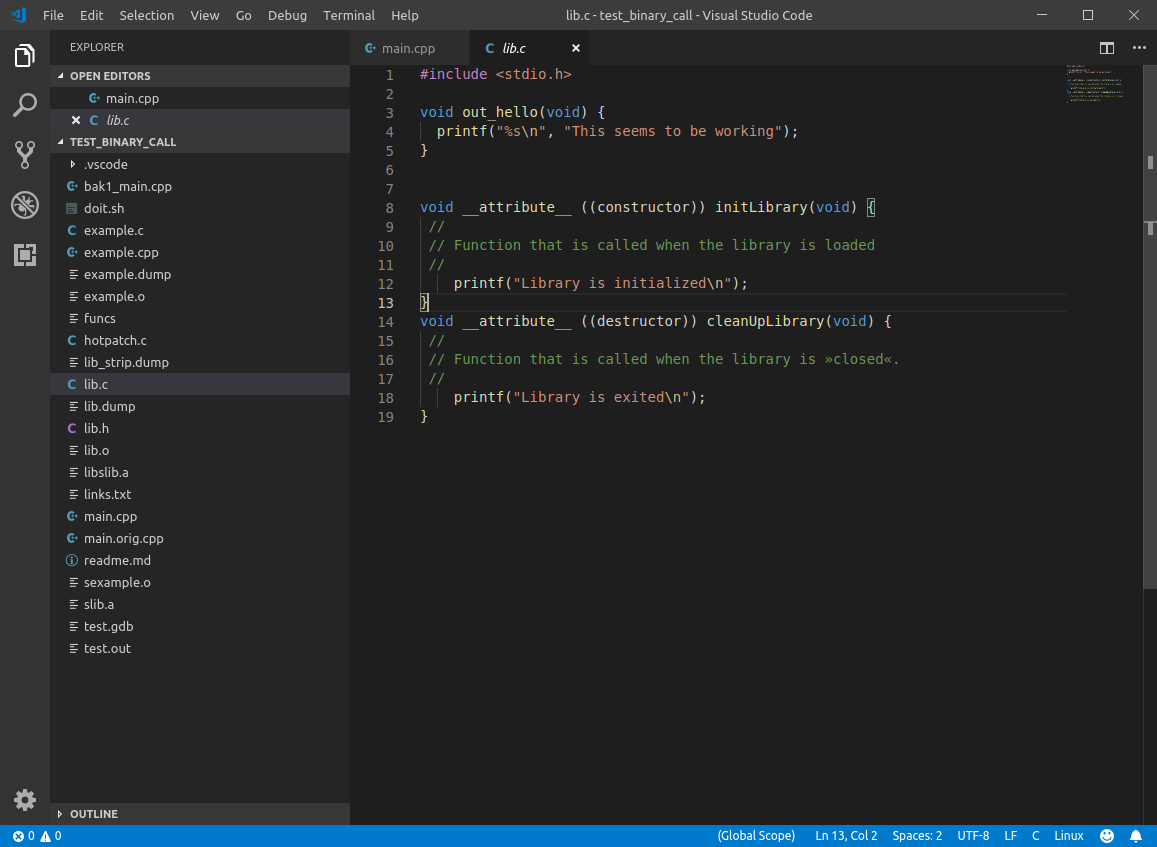
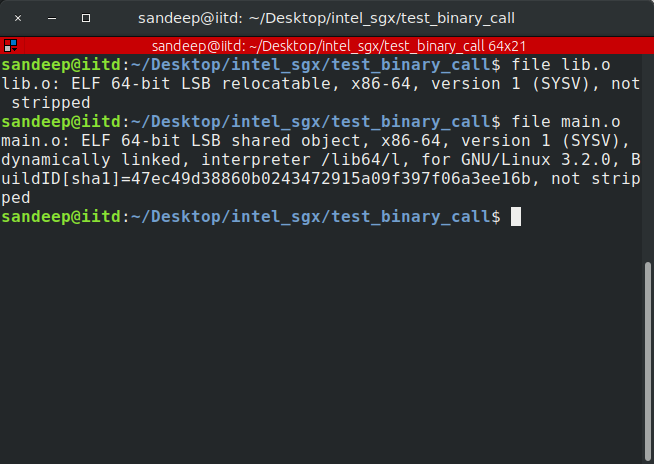
The original C++ mapping program, helper source, and file-type output are retained as historical material. They use names such as main.o for an executable. Read those names as filenames, not ELF types, and do not treat the mapping program as a library loader.